# [The Dev Portfolio That Gets You Hired](https://github.com/HugoBlox/hugo-theme-dev-portfolio)
[](https://hugoblox.com/templates/dev-portfolio?utm_source=github&utm_medium=readme&utm_content=preview)
https://github.com/user-attachments/assets/a6b676c0-1c10-4734-a55f-68c6f72d1612
Ship Your Portfolio Before The Weekend
Your projects deserve better than a GitHub pinned repo.
Showcase real work, ship a clean blog, and stand out with a modern dark-first design — all from Markdown files you own. No fragile React app required.
Built on HugoBlox — the open-source framework where AI generates your pages and you own everything as Markdown.
Deploy Free (60s)
|
Customize with AI
|
Live Demo
Part of the HugoBlox ecosystem · 150,000+ sites · Rated 4.9/5 (official survey) · Since 2016
---
## Why This Template?
Most developer portfolios look the same — and most "quick" site builders produce slow, bloated React apps you can't maintain. This is a **fast, modern portfolio** that makes your work look as good as it is:
- **Students & grads** applying to internships, MSc programs, or junior roles — stand out with a living portfolio, not a flat resume
- **Software engineers** who want a modern dark-first design that feels premium without writing frontend code
- **STEM professionals** (data, ML, research, engineering) showcasing projects and technical writing
- **Anyone job-hunting** who needs projects, tech stack, experience timeline, and a blog in one credible site
> *"I deployed this on a Friday evening and had three recruiters comment on it by Monday. The dark mode and project grid made my work look 10x more polished than a GitHub profile."*
> — **Kai Nakamura**, Software Engineer
> *"My students use this as their default portfolio template. They fork it, edit Markdown, push to GitHub Pages — done. No React, no Vercel bills, no maintenance headaches."*
> — **Dr. Amira Hassan**, CS Lecturer, TU Munich

---
## Features
| Feature | Benefit |
| :--- | :--- |
| **Filterable project grid** | Showcase your work with tags, smooth transitions, and featured images. Visitors find what matters fast. |
| **Tech stack display** | Icon grid of your tools and languages — recruiters see your skills at a glance. |
| **Experience & education timeline** | Structured career history with dates, roles, and descriptions. |
| **Blog with featured images** | Write technical posts in Markdown. Code highlighting, math, and diagrams included. |
| **Dark-first design** | Looks premium in dark mode, works perfectly in light. No design skills needed. |
| **SEO & AI-ready** | Optimized for search engines and LLMs — your work gets found and recommended. |
| **AI page generation** | Describe what you need to [Hugo Chat](https://hugo.chat/?utm_source=github&utm_medium=readme&utm_content=features_dev-portfolio) — get structured pages with correct front matter instantly. |
| **Visual editor** | Drag-and-drop blocks in VS Code with [Ownable CMS](https://marketplace.visualstudio.com/items?itemName=ownable.ownable). No coding needed. |
| **Plain Markdown** | Every file is human-readable. No database, no lock-in, take your content anywhere. |
| **Free hosting** | Deploy to GitHub Pages, Netlify, Vercel, or Cloudflare — all free tier. |
---
## 🚀 Get Started
### Step 1: Deploy Your Site
**Option A: Launch in browser** (fastest — no install needed)
> [!TIP]
> Deploy a live site in 60 seconds — no software to install:
> [**Deploy Dev Portfolio free**](https://hugoblox.com/templates/dev-portfolio?utm_source=github&utm_medium=readme&utm_content=get_started)
**Option B: Use the CLI**
```bash
# Requires Hugo Extended & Node.js
npx hugoblox create site --template dev-portfolio
```
### Step 2: Customize With AI + Visual Editing
|
**✨ Hugo Chat** — AI customization
Tell Hugo Chat what you want in plain English. It generates structured pages with the right front matter, shortcodes, and blocks for this template.
> *"Add a project page for my CLI tool with tech stack, screenshots, and a GitHub link"*
[**Try Hugo Chat — free**](https://hugo.chat/?utm_source=github&utm_medium=readme&utm_content=step2_dev-portfolio)
|
**Ownable CMS** — visual editing in VS Code
1. Install [Ownable CMS](https://marketplace.visualstudio.com/items?itemName=ownable.ownable)
2. Open your project in VS Code
3. Click the Ownable icon to start editing visually
|
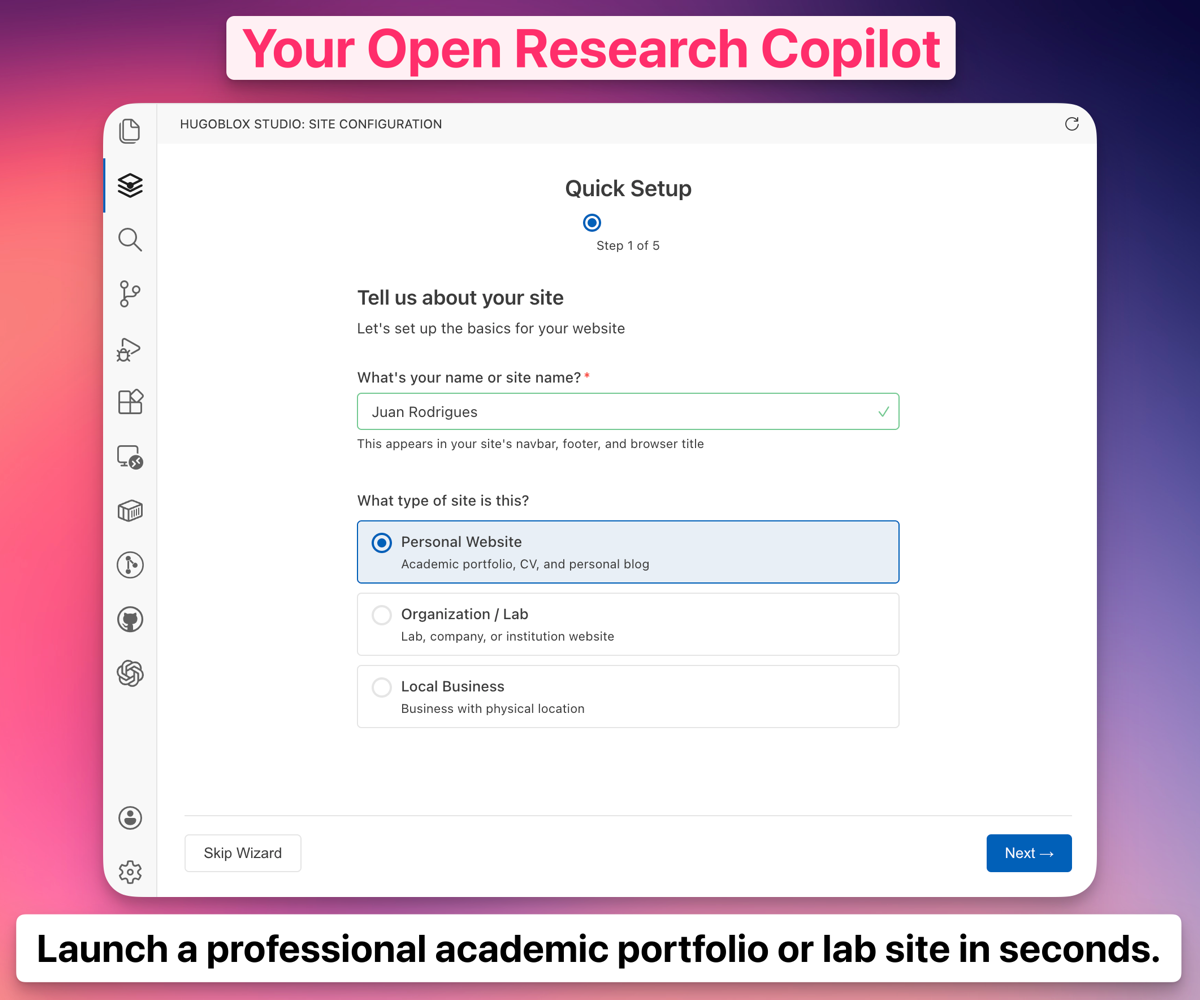
*Ownable CMS: Drag-and-drop page builder inside VS Code.*
> [!NOTE]
> **New to Hugo?** No problem. You don't need to know Hugo — edit visually or write Markdown. Hugo is the engine under the hood that makes your site fast, secure, and free to host. [Learn more →](https://docs.ownable.dev/?utm_source=github&utm_medium=readme&utm_content=docs_dev-portfolio)
---
## 💎 Go Premium
Love the free version? **Dev Portfolio Pro** takes it further:
- Premium designs that make an unforgettable first impression
- Advanced project layouts and gallery options
- Enhanced timeline and skill visualizations
- Remove attribution, priority support
| | **Dev Portfolio** (Free) | **Dev Portfolio Pro** |
| :--- | :---: | :---: |
| Design | Modern & clean | **Premium designs** |
| Project layouts | Standard grid | **Advanced gallery** |
| Skill display | Icon grid | **Enhanced visuals** |
| Support | Community | **Priority** |
Compare plans
|
Deploy Pro version
---
## 🏆 Why HugoBlox?
> *Why not just use WordPress, Webflow, or an AI builder like Lovable?*
| | **AI builders** (Lovable, v0) | **CMS platforms** (WordPress, Webflow) | **HugoBlox** |
| :--- | :---: | :---: | :---: |
| AI generates your pages | Yes | No | **Yes** |
| You own the output as readable files | No — React code | No — database | **Yes — Markdown** |
| Free to host forever | No | No | **Yes** |
| Human-editable without the tool | Barely | No | **Yes — it's Markdown** |
| Open source | No | No | **Yes — MIT licensed** |
> [!IMPORTANT]
> Your content is plain Markdown files. No lock-in, no database, no vendor dependency. If you ever want to leave, take your files and go.
---
## FAQ
Do I need to know Hugo?
No. Edit visually with Ownable CMS or write Markdown. Hugo is the build engine — you don't need to touch it.
Can I use this for non-dev portfolios?
Yes. The project grid, blog, and timeline work for any profession. But the dark-first design and tech stack section are built with developers in mind.
Can I host for free?
Yes. GitHub Pages, Netlify, Vercel, and Cloudflare Pages all have free tiers for static sites.
Can I migrate my content later?
Yes. Your site is just Markdown files in a folder. Copy them anywhere.
What's Hugo Chat?
An AI assistant trained on Hugo and HugoBlox docs. Describe what you want and it generates the right pages with correct front matter. Free to try.
Can I cancel Pro anytime?
Yes. No questions asked.
---
🚀 Ready to launch?
Deploy in 60 seconds. Customize with AI. Own it as Markdown forever.
Deploy Dev Portfolio — free
|
Customize with AI
---
## Community & Support
- 💬 [**Discord**](https://discord.gg/z8wNYzb) — ask questions, share your site
- 📚 [**Docs**](https://docs.ownable.dev/?utm_source=github&utm_medium=readme&utm_content=community_dev-portfolio)
- ⭐ [**Star HugoBlox**](https://github.com/HugoBlox/kit) — help others find it
- 🐦 [**Follow on X**](https://x.com/GoOwnable)
### Sponsors
[**❤️ Sponsor on GitHub**](https://github.com/sponsors/gcushen) | [**🏢 Become a Partner**](https://github.com/sponsors/gcushen)
---
MIT © 2016-present [**Lore Labs**](https://lore.tech/?utm_source=github&utm_medium=readme)


