# [The Presentation Framework That Thinks Like You Do](https://github.com/HugoBlox/hugo-theme-markdown-slides)
[](https://hugoblox.com/templates/markdown-slides?utm_source=github&utm_medium=readme&utm_content=preview)
https://github.com/user-attachments/assets/5a93788a-65d7-4a56-8355-4a2098a5f89b
Write Slides In Markdown. Present Like A Pro.
Stop wrestling with PowerPoint.
Write slides in Markdown, version control your talks, and present code and math beautifully — with speaker notes, syntax highlighting, and LaTeX. Share a URL, not a USB drive.
Built on HugoBlox — the open-source framework where AI generates your pages and you own everything as Markdown.
Deploy Free (60s)
|
Customize with AI
|
Live Demo
Part of the HugoBlox ecosystem · 150,000+ sites · Rated 4.9/5 (official survey) · Since 2016
---
## Why This Template?
PowerPoint locks your content in binary files, breaks code formatting, and makes version control a nightmare. Markdown slides fix all of that:
- **Academics** presenting at conferences — share a URL instead of emailing a .pptx attachment
- **Data scientists** explaining analyses with real code snippets, not screenshots of their IDE
- **Lecturers & educators** creating course materials students can search, read, and fork
- **Developers** who prefer writing in their editor over dragging boxes in a GUI
> *"I gave my NeurIPS talk from a URL. No USB drive drama, no 'which version is this?' — just a link. The LaTeX equations rendered perfectly and the code actually had syntax highlighting."*
> — **Dr. Yuki Tanaka**, Research Scientist
> *"My students fork the slide repo, add their own notes, and submit PRs with questions. It turned passive lecture slides into collaborative course material."*
> — **Prof. Marco Bellini**, Computer Science, University of Milan

---
## Features
| Feature | Benefit |
| :--- | :--- |
| **Markdown-first slides** | Write slides like you write papers. Focus on content, not pixel alignment. |
| **LaTeX math** | Native rendering for equations. Drop in `$E=mc^2$` and it just works. |
| **Syntax highlighting** | 100+ languages with proper code blocks. No screenshots of your IDE. |
| **Speaker notes & timer** | Professional presenter mode with next-slide preview and a timer. |
| **Mermaid diagrams** | Flowcharts, sequence diagrams, and architecture drawings in text. |
| **Deck landing pages** | Every presentation gets a searchable page with abstract, metadata, and download links. |
| **PDF export** | One-click printable version for handouts. |
| **Light & dark themes** | Multiple reveal.js themes included. Match your conference or brand. |
| **SEO & AI-ready** | Optimized for search engines and LLMs — your talks get found and recommended. |
| **AI page generation** | Describe what you need to [Hugo Chat](https://hugo.chat/?utm_source=github&utm_medium=readme&utm_content=features_markdown-slides) — get structured pages with correct front matter instantly. |
| **Visual editor** | Drag-and-drop blocks in VS Code with [Ownable CMS](https://marketplace.visualstudio.com/items?itemName=ownable.ownable). No coding needed. |
| **Plain Markdown** | Every file is human-readable. No database, no lock-in, take your content anywhere. |
| **Free hosting** | Deploy to GitHub Pages, Netlify, Vercel, or Cloudflare — all free tier. |
---
## 🚀 Get Started
### Step 1: Deploy Your Site
**Option A: Launch in browser** (fastest — no install needed)
> [!TIP]
> Deploy a live site in 60 seconds — no software to install:
> [**Deploy Markdown Slides free**](https://hugoblox.com/templates/markdown-slides?utm_source=github&utm_medium=readme&utm_content=get_started)
**Option B: Use the CLI**
```bash
# Requires Hugo Extended & Node.js
npx hugoblox create site --template markdown-slides
```
### Step 2: Customize With AI + Visual Editing
|
**✨ Hugo Chat** — AI customization
Tell Hugo Chat what you want in plain English. It generates structured pages with the right front matter, shortcodes, and blocks for this template.
> *"Create presentation slides for my conference talk on building static sites with Hugo"*
[**Try Hugo Chat — free**](https://hugo.chat/?utm_source=github&utm_medium=readme&utm_content=step2_markdown-slides)
|
**Ownable CMS** — visual editing in VS Code
1. Install [Ownable CMS](https://marketplace.visualstudio.com/items?itemName=ownable.ownable)
2. Open your project in VS Code
3. Click the Ownable icon to start editing visually
|
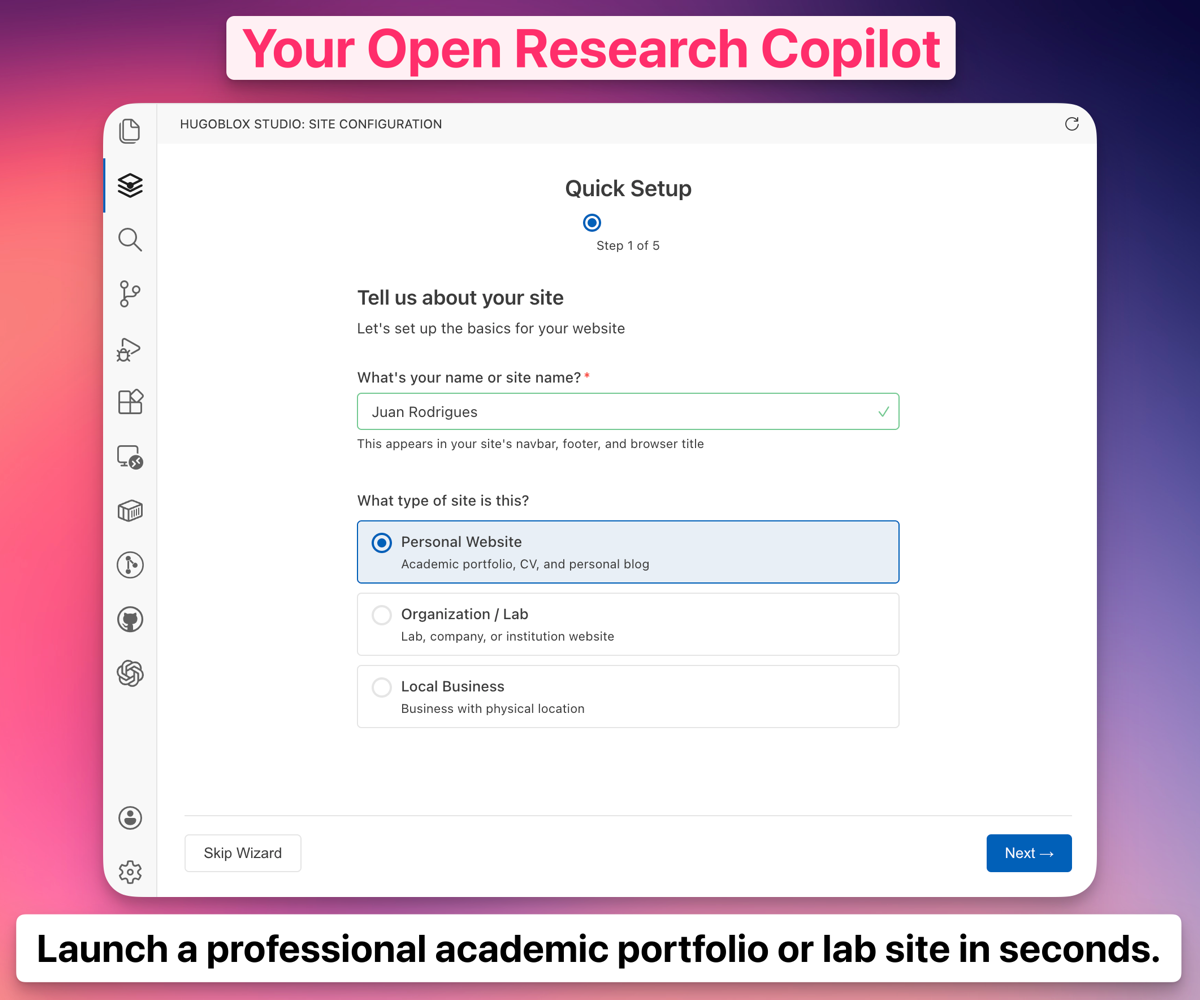
*Ownable CMS: Drag-and-drop page builder inside VS Code.*
> [!NOTE]
> **New to Hugo?** No problem. You don't need to know Hugo — edit visually or write Markdown. Hugo is the engine under the hood that makes your site fast, secure, and free to host. [Learn more →](https://docs.ownable.dev/?utm_source=github&utm_medium=readme&utm_content=docs_markdown-slides)
---
## 🏆 Why HugoBlox?
> *Why not just use Google Slides, Keynote, or an AI builder like Lovable?*
| | **Slide software** (PowerPoint, Keynote) | **AI builders** (Lovable, v0) | **HugoBlox** |
| :--- | :---: | :---: | :---: |
| Write in Markdown | No — binary files | No | **Yes** |
| Version control with Git | No | Barely | **Yes** |
| Native LaTeX math | Plugin required | No | **Yes** |
| Syntax-highlighted code | No | Partial | **Yes — 100+ languages** |
| Free to host & share | File sharing only | No | **Yes — share a URL** |
| Open source | No | No | **Yes — MIT licensed** |
> [!IMPORTANT]
> Your slides are plain Markdown files. No lock-in, no proprietary format, no vendor dependency. If you ever want to leave, take your files and go.
---
## FAQ
Do I need to know Hugo?
No. Edit visually with Ownable CMS or write Markdown. Hugo is the build engine — you don't need to touch it.
How do I separate slides?
Use --- between slides in your Markdown file. Speaker notes go after Note: at the end of each slide.
Can I present offline?
Yes. The reveal.js presenter mode works offline once the page is loaded. Save the page for fully offline presentations.
Can I host for free?
Yes. GitHub Pages, Netlify, Vercel, and Cloudflare Pages all have free tiers for static sites.
What's Hugo Chat?
An AI assistant trained on Hugo and HugoBlox docs. Describe what you want and it generates the right pages with correct front matter. Free to try.
---
🚀 Ready to present?
Deploy in 60 seconds. Customize with AI. Own it as Markdown forever.
Deploy Markdown Slides — free
|
Customize with AI
---
## Community & Support
- 💬 [**Discord**](https://discord.gg/z8wNYzb) — ask questions, share your site
- 📚 [**Docs**](https://docs.ownable.dev/?utm_source=github&utm_medium=readme&utm_content=community_markdown-slides)
- ⭐ [**Star HugoBlox**](https://github.com/HugoBlox/kit) — help others find it
- 🐦 [**Follow on X**](https://x.com/GoOwnable)
### Sponsors
[**❤️ Sponsor on GitHub**](https://github.com/sponsors/gcushen) | [**🏢 Become a Partner**](https://github.com/sponsors/gcushen)
---
MIT © 2016-present [**Lore Labs**](https://lore.tech/?utm_source=github&utm_medium=readme)


