 George Cushen
a139f74289
George Cushen
a139f74289
Pin yq v4.44.1 in all template workflows with retry logic,
error handling, and input validation.
The Academic CV That Gets You Hired

The Portfolio That Works While You Sleep
Your unfair advantage in academia.
Stop sending PDFs into the void. Build a living portfolio that boosts citations and lands offers.
Trusted by 250,000+ researchers at MIT, Stanford, and Google.
🚀 Launch Free (60s) • Live Demo • Visual Editor


Why This Template?
Most CVs are static PDFs that get lost in the pile. This is an intelligent portfolio that works 24/7 to advance your career.
- 🔮 Future-Proof: Your content lives in simple Markdown. No database to break, no lock-in.
- 🤖 AI-Ready: Optimized for search engines and LLMs, so your work is found and cited.
- ⚡ Zero Maintenance: Auto-import citations from BibTeX and focus on research.
- ✍️ Edit Visually: Use HugoBlox Studio in VS Code — no coding needed. Full capabilities in Pro.

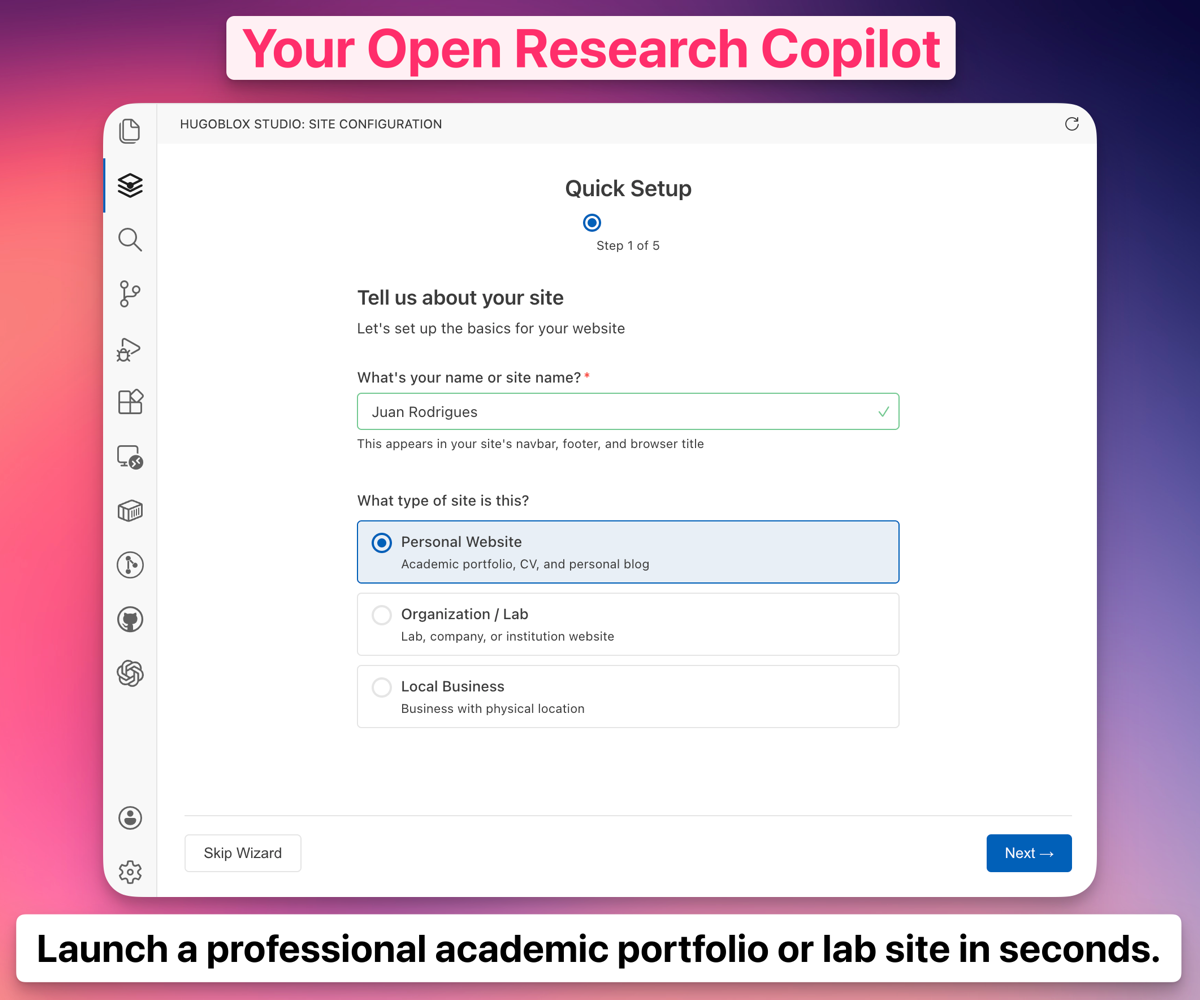 HugoBlox Studio: Drag-and-drop page builder inside VS Code.
"My citations went up 3x after switching to this template. The citation auto-sync feature is a lifesaver." — Dr. Zhang, AI Research Scientist, Meta
Who This Is For
- Students and grads applying to top labs and industry roles
- Researchers who want a living, citable portfolio
- Faculty/PIs showcasing publications, talks, and group news
Features
| Feature | Benefit |
|---|---|
| Markdown, Jupyter, RStudio | Write in the tools you already use. |
| Auto-Update Citations | Drop in a BibTeX file; formatted lists generated automatically. |
| Visual Editor | Drag-and-drop blocks to build pages in minutes. |
| Global CDN | Blazing fast load times (100/100 Lighthouse scores). |
| Privacy First | You own your data. Host for free on GitHub Pages. |
Notebook → Posts and Slides
- Publish your actual
.ipynbas beautiful long-form posts — code, outputs, and narrative kept intact. - Slides in Markdown with Reveal.js: math, syntax highlight, diagrams, speaker notes.
- Coming soon: Notebook → Slides (beta). Request early access in Discord.
Learn more: docs on Notebooks and Slides.
Why Go Pro (from $8/m)
- Enhanced HugoBlox Studio visual editor — save 10–20 hours setting up and polishing
- Premium CV & Resumé designs — make an unforgettable first impression
- Pro blocks, remove attribution, and priority support
Free vs Pro
| Feature | Academic CV (Free) | Academic CV Pro & Resumé Pro |
|---|---|---|
| Design | Professional & clean | Premium designs |
| Layouts | Standard sections | Advanced timelines & layouts |
| Courses/Lectures | Basic | Fully-Featured |
| First Impression | Strong | Unforgettable |
| Discord Support | Community | Priority |
💎 Upgrade to Pro
✨ Deploy Academic CV Pro
•
📄 Deploy Resumé Pro
Get Started
Option 1: No-Code (Fastest)
Launch a fully hosted site in your browser. No software to install.
Option 2: Studio (Visual Editor)
- Install HugoBlox Studio for VS Code
- Open this project and edit visually
Option 3: CLI (Developers)
- Install Hugo
- Create your site with the CLI:
npx hugoblox create site --template academic-cv
FAQ
- Do I need to know Hugo? No — you can edit visually or write Markdown.
- Can I host for free? Yes — GitHub Pages/Netlify are supported.
- Can I export/migrate later? Yes — your site is just files.
- Can I cancel Pro anytime? Yes.
Community & Support
MIT © 2016-Present George Cushen