mirror of
https://github.com/tiennm99/HugoBlox-kit.git
synced 2026-10-13 04:14:41 +00:00

213 lines
9.3 KiB
Markdown
213 lines
9.3 KiB
Markdown
# [The Docs Site Your Users Will Actually Read](https://github.com/HugoBlox/hugo-theme-documentation)
|
|
|
|
[](https://hugoblox.com/templates/documentation?utm_source=github&utm_medium=readme&utm_content=preview)
|
|
|
|
<!-- TODO: Replace with a short demo video showing Hugo Chat generating a docs page -->
|
|
<!-- https://github.com/user-attachments/assets/REPLACE_ME -->
|
|
|
|
<h1 align="center">Ship Docs That Stay In Sync With Your Code</h1>
|
|
|
|
<p align="center">
|
|
<strong>Documentation should live next to your code, not in a separate CMS.</strong><br/>
|
|
Searchable docs with sidebar navigation, versioning, and syntax highlighting — all from Markdown files in your repo. No database, no Notion dependency, no stale wiki.<br/>
|
|
Built on <a href="https://github.com/HugoBlox/kit">HugoBlox</a> — the open-source framework where AI generates your pages and you own everything as Markdown.
|
|
</p>
|
|
|
|
<p align="center">
|
|
<a href="https://hugoblox.com/templates/documentation?utm_source=github&utm_medium=readme&utm_content=cta_top"><b>Deploy Free (60s)</b></a>
|
|
|
|
|
<a href="https://hugo.chat/?utm_source=github&utm_medium=readme&utm_content=cta_top_documentation"><b>Customize with AI</b></a>
|
|
|
|
|
<a href="https://hugoblox.com/templates/documentation?utm_source=github&utm_medium=readme&utm_content=demo">Live Demo</a>
|
|
</p>
|
|
|
|
<div align="center">
|
|
|
|
<a href="https://github.com/HugoBlox/hugo-theme-documentation">
|
|
<img src="https://img.shields.io/github/stars/HugoBlox/hugo-theme-documentation?label=Star&logo=github&style=flat-square&color=181717" alt="GitHub Stars">
|
|
</a>
|
|
<a href="https://discord.gg/z8wNYzb">
|
|
<img src="https://img.shields.io/discord/722225264733716590?label=Discord&logo=discord&logoColor=white&style=flat-square&color=5865F2" alt="Discord">
|
|
</a>
|
|
<a href="https://github.com/HugoBlox/kit">
|
|
<img src="https://img.shields.io/github/stars/HugoBlox/kit?label=HugoBlox&logo=github&style=flat-square&color=181717" alt="HugoBlox Stars">
|
|
</a>
|
|
|
|
</div>
|
|
|
|
<p align="center">
|
|
<sub>Part of the <a href="https://github.com/HugoBlox/kit"><strong>HugoBlox</strong></a> ecosystem · <strong>150,000+</strong> sites · Rated <strong>4.9/5</strong> (official survey) · Since <strong>2016</strong></sub>
|
|
</p>
|
|
|
|
---
|
|
|
|
## Why This Template?
|
|
|
|
Wikis get stale. Notion pages get buried. README files don't scale. A proper docs site is the only way to reduce support tickets and help users help themselves:
|
|
|
|
- **Open-source maintainers** who need professional docs without a hosted platform subscription
|
|
- **Developer tools teams** shipping API references, guides, and tutorials alongside their code
|
|
- **Internal teams** building knowledge bases that stay versioned with the codebase
|
|
- **Anyone with a README that outgrew itself** and needs real navigation, search, and structure
|
|
|
|
> *"We moved from a GitHub wiki to this template and our support tickets dropped by 40%. Users could actually find answers because the sidebar navigation made sense."*
|
|
> — **Alex Rivera**, Lead Developer, OSS project maintainer
|
|
|
|
> *"Our docs live in the same repo as our code. PRs update both at once. No sync scripts, no stale docs — just Markdown files that deploy on merge."*
|
|
> — **Lena Virtanen**, DevRel Engineer
|
|
|
|
<p align="center">
|
|
<a href="https://hugoblox.com/templates/documentation?utm_source=github&utm_medium=readme&utm_content=cta_mid">
|
|
<img src="https://img.shields.io/badge/⚡️%20Deploy%20Your%20Docs%20in%2060s-7c3aed?style=for-the-badge" alt="Deploy this template" width="400">
|
|
</a>
|
|
</p>
|
|
|
|
---
|
|
|
|
## Features
|
|
|
|
| Feature | Benefit |
|
|
| :--- | :--- |
|
|
| **Sidebar navigation** | Automatic, nested sidebar generated from your folder structure. No manual menu config. |
|
|
| **Built-in search** | Users find answers without scrolling. Works offline, no external service needed. |
|
|
| **Syntax highlighting** | 100+ languages with proper code blocks. Copy button included. |
|
|
| **Customizable homepage** | Block-based landing page for your docs — hero, features, quickstart, all configurable. |
|
|
| **Dark & light mode** | Comfortable reading in any environment. Follows system preference. |
|
|
| **SEO & AI-ready** | Optimized for search engines and LLMs — your docs get found and recommended. |
|
|
| **AI page generation** | Describe what you need to [Hugo Chat](https://hugo.chat/?utm_source=github&utm_medium=readme&utm_content=features_documentation) — get structured pages with correct front matter instantly. |
|
|
| **Visual editor** | Drag-and-drop blocks in VS Code with [Ownable CMS](https://marketplace.visualstudio.com/items?itemName=ownable.ownable). No coding needed. |
|
|
| **Plain Markdown** | Every file is human-readable. No database, no lock-in, take your content anywhere. |
|
|
| **Free hosting** | Deploy to GitHub Pages, Netlify, Vercel, or Cloudflare — all free tier. |
|
|
|
|
---
|
|
|
|
## 🚀 Get Started
|
|
|
|
### Step 1: Deploy Your Site
|
|
|
|
**Option A: Launch in browser** (fastest — no install needed)
|
|
|
|
> [!TIP]
|
|
> Deploy a live site in 60 seconds — no software to install:
|
|
> [**Deploy Documentation free**](https://hugoblox.com/templates/documentation?utm_source=github&utm_medium=readme&utm_content=get_started)
|
|
|
|
**Option B: Use the CLI**
|
|
|
|
```bash
|
|
# Requires Hugo Extended & Node.js
|
|
npx hugoblox create site --template documentation
|
|
```
|
|
|
|
### Step 2: Customize With AI + Visual Editing
|
|
|
|
<table>
|
|
<tr>
|
|
<td width="50%">
|
|
|
|
**✨ Hugo Chat** — AI customization
|
|
|
|
Tell Hugo Chat what you want in plain English. It generates structured pages with the right front matter, shortcodes, and blocks for this template.
|
|
|
|
> *"Create a getting started guide with installation, configuration, and first steps sections"*
|
|
|
|
[**Try Hugo Chat — free**](https://hugo.chat/?utm_source=github&utm_medium=readme&utm_content=step2_documentation)
|
|
|
|
</td>
|
|
<td width="50%">
|
|
|
|
**Ownable CMS** — visual editing in VS Code
|
|
|
|
1. Install [Ownable CMS](https://marketplace.visualstudio.com/items?itemName=ownable.ownable)
|
|
2. Open your project in VS Code
|
|
3. Click the Ownable icon to start editing visually
|
|
|
|
</td>
|
|
</tr>
|
|
</table>
|
|
|
|
|
|
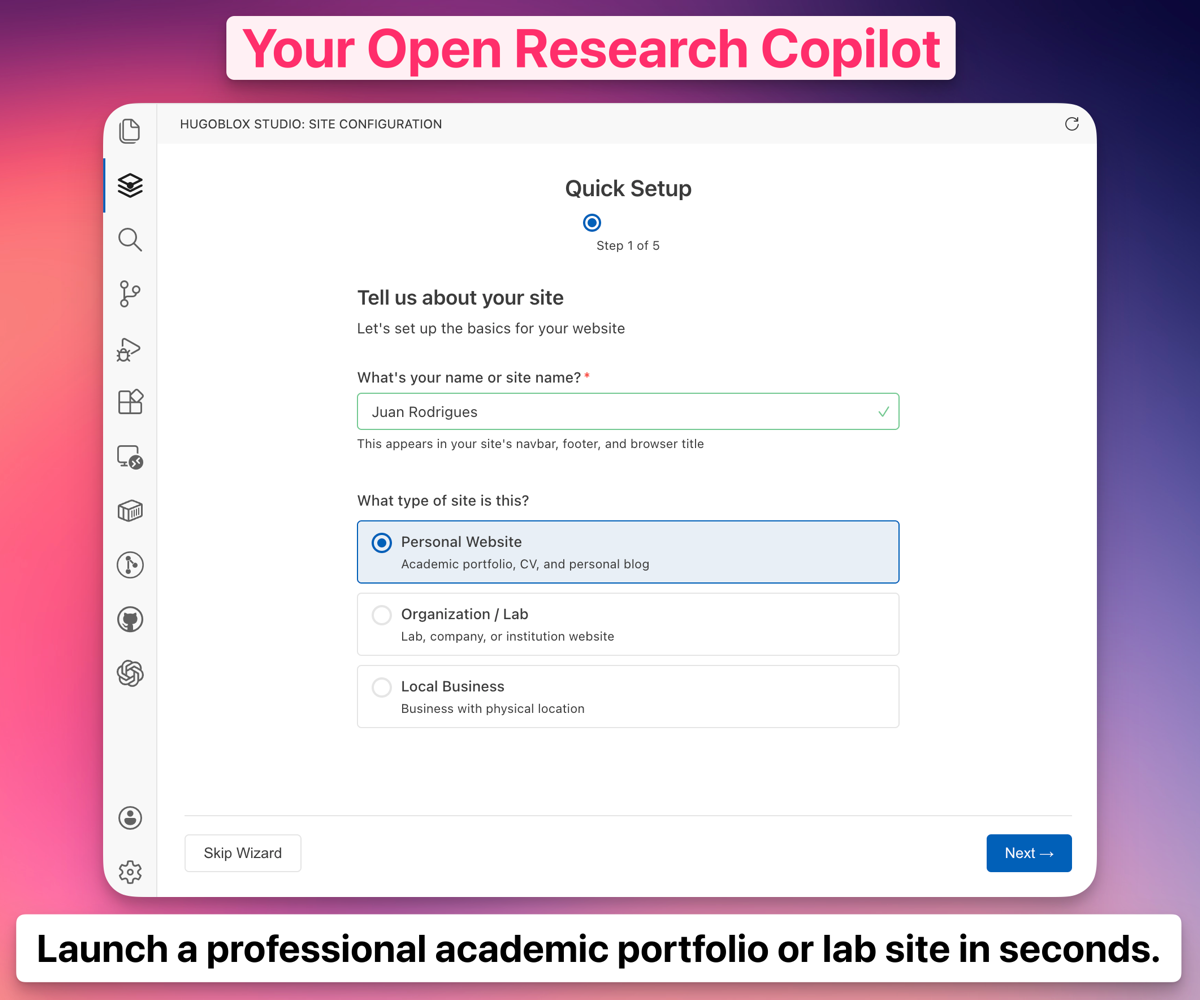
*Ownable CMS: Drag-and-drop page builder inside VS Code.*
|
|
|
|
> [!NOTE]
|
|
> **New to Hugo?** No problem. You don't need to know Hugo — edit visually or write Markdown. Hugo is the engine under the hood that makes your site fast, secure, and free to host. [Learn more →](https://docs.ownable.dev/?utm_source=github&utm_medium=readme&utm_content=docs_documentation)
|
|
|
|
---
|
|
|
|
## 🏆 Why HugoBlox?
|
|
|
|
> *Why not just use Docusaurus, MkDocs, or a wiki?*
|
|
|
|
| | **Docusaurus** | **MkDocs** | **HugoBlox** |
|
|
| :--- | :---: | :---: | :---: |
|
|
| AI generates your pages | No | No | **Yes — Hugo Chat** |
|
|
| Visual editor (no code) | No | No | **Yes — Ownable CMS** |
|
|
| Build speed (1,000 pages) | ~30s | ~10s | **~1s** |
|
|
| Lightweight dependencies | No — 1,000+ npm packages | No — Python ecosystem | **Yes — Hugo binary + Tailwind** |
|
|
| Block-based homepage builder | Limited | No | **Yes — drag and drop** |
|
|
| Built-in blog, portfolio, team pages | Blog only | No | **Yes — 20+ content types** |
|
|
| Free to host forever | Yes | Yes | **Yes** |
|
|
| Open source | Yes | Yes | **Yes — MIT licensed** |
|
|
|
|
> [!IMPORTANT]
|
|
> Your docs are plain Markdown files. No lock-in, no database, no vendor dependency. If you ever want to leave, take your files and go.
|
|
|
|
---
|
|
|
|
## FAQ
|
|
|
|
<details>
|
|
<summary><b>Do I need to know Hugo?</b></summary>
|
|
No. Edit visually with Ownable CMS or write Markdown. Hugo is the build engine — you don't need to touch it.
|
|
</details>
|
|
|
|
<details>
|
|
<summary><b>Can I keep docs in the same repo as my code?</b></summary>
|
|
Yes. That's the recommended setup. Docs update in the same PR as the code they describe.
|
|
</details>
|
|
|
|
<details>
|
|
<summary><b>Does it support versioned docs?</b></summary>
|
|
Yes. Use branches or subdirectories for version-specific documentation.
|
|
</details>
|
|
|
|
<details>
|
|
<summary><b>Can I host for free?</b></summary>
|
|
Yes. GitHub Pages, Netlify, Vercel, and Cloudflare Pages all have free tiers for static sites.
|
|
</details>
|
|
|
|
<details>
|
|
<summary><b>What's Hugo Chat?</b></summary>
|
|
An AI assistant trained on Hugo and HugoBlox docs. Describe what you want and it generates the right pages with correct front matter. <a href="https://hugo.chat/?utm_source=github&utm_medium=readme&utm_content=faq_documentation">Free to try.</a>
|
|
</details>
|
|
|
|
---
|
|
|
|
<h2 align="center">🚀 Ready to launch?</h2>
|
|
|
|
<p align="center">
|
|
Deploy in 60 seconds. Customize with AI. Own it as Markdown forever.
|
|
</p>
|
|
|
|
<p align="center">
|
|
<a href="https://hugoblox.com/templates/documentation?utm_source=github&utm_medium=readme&utm_content=cta_final"><b>Deploy Documentation — free</b></a>
|
|
|
|
|
<a href="https://hugo.chat/?utm_source=github&utm_medium=readme&utm_content=cta_final_documentation"><b>Customize with AI</b></a>
|
|
</p>
|
|
|
|
---
|
|
|
|
## Community & Support
|
|
|
|
- 💬 [**Discord**](https://discord.gg/z8wNYzb) — ask questions, share your site
|
|
- 📚 [**Docs**](https://docs.ownable.dev/?utm_source=github&utm_medium=readme&utm_content=community_documentation)
|
|
- ⭐ [**Star HugoBlox**](https://github.com/HugoBlox/kit) — help others find it
|
|
- 🐦 [**Follow on X**](https://x.com/GoOwnable)
|
|
|
|
### Sponsors
|
|
|
|
[**❤️ Sponsor on GitHub**](https://github.com/sponsors/gcushen) | [**🏢 Become a Partner**](https://github.com/sponsors/gcushen)
|
|
|
|
---
|
|
|
|
MIT © 2016-present [**Lore Labs**](https://lore.tech/?utm_source=github&utm_medium=readme)
|